01 / Image-to-video studio
Prepare the source and the purpose of the film
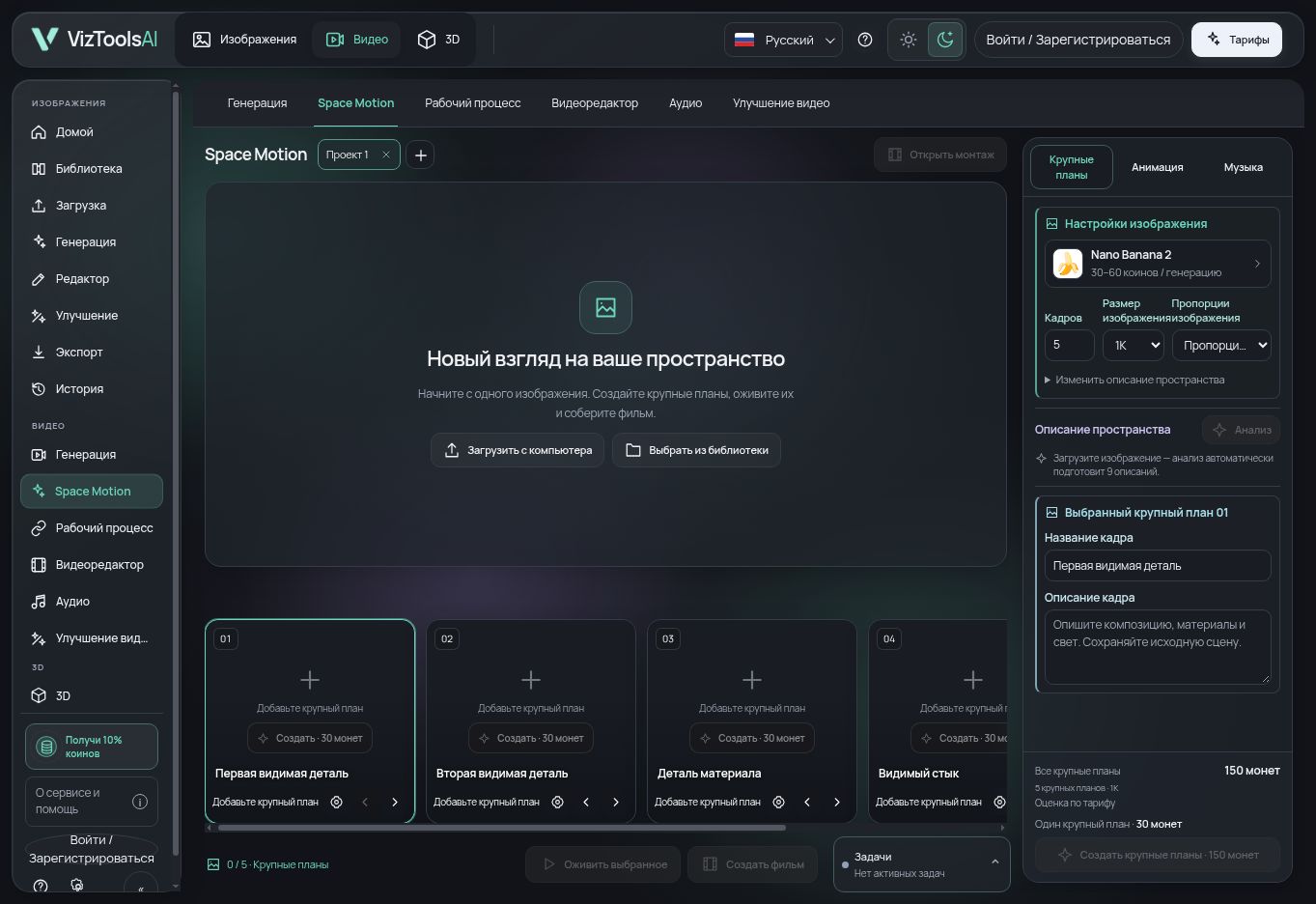
Upload an image or choose one from your library. For an exterior, use a view with clear building volumes, an entrance and surroundings; for an interior, choose a frame with readable room boundaries and objects. The source becomes the shared visual reference for the shots.
Decide what the film should communicate first: the whole building, its entrance, a facade material or interior details. A single image cannot reliably establish unseen sides of a building. An accurate fly-through of project geometry requires an appropriate 3D workflow.
02 / Image-to-video studio
Review the analysis and describe the shots
Source-image analysis helps prepare descriptions of visible objects and proposed shots. Compare the suggestions with the source: names, object positions and materials should match what is actually visible. Edit each shot description and prompt before generation.
Choose 1–9 shots and arrange their order. A short sequence might move from an overall view to the entrance and a material detail. Prompts remain editable: name the specific subject, framing scale and details you need to retain.
03 / Image-to-video studio
Generate and select the shot images
Choose an available image model and output size. Review the coin estimate before confirming the run. Each generated image is a separate operation; more shots and different settings can change the total cost.
Inspect the variants and choose an image for each shot. Compare building boundaries, openings, furniture, repeated elements and materials with the source. If you change the brief, an earlier variant may no longer match it; generate a new image or deliberately select a suitable saved variant.
04 / Image-to-video studio
Set camera movement and start video generation
Set a camera movement for the selected shot, such as a gentle push-in, pull-out, pan or tilt. The preview illustrates direction using the source image. The orbit diagram is not a 3D reconstruction and does not predict the video model’s exact output.
Check the video model, duration, format and required inputs. You can work on individual shots or start film creation; review the included operations and total coin estimate before confirming. Audio, references and modes depend on the selected model and its current availability.
05 / Image-to-video studio
Edit the montage, add sound and export
Watch each clip all the way through. Check geometry over time, reflections, planting, camera jumps and material changes. Retain useful variants and open the editable montage. Refine the sequence, trims and pacing on the timeline.
Use your own audio file or prepare music through an available tool after reviewing its cost. Listen to the track together with the video. Export from the video editor: check the opening, ending, picture, sound and available format, then save the finished file.
06 / Image-to-video studio
Check the task before another run
If a task fails or its state is unclear, inspect its status in the interface first. Another run creates another attempt; repeated clicks are not a substitute for checking task progress. Keep the task ID if you need support.
A coin estimate applies to the selected settings and operations, not every future film. Waiting time and results depend on the model, source and provider queue. Label conceptual AI images in presentations and compare important architectural decisions with the actual project.