
01 / Architecture video
A strong source frame matters more than complex movement
For your first video, choose an image without obvious perspective errors, duplicated details or blurry edges. Video can amplify defects that are barely noticeable in a still render. Check reflections, windows, planting and people.
Decide what the viewer should notice: the entrance, facade texture, spatial depth or the building’s relationship to the landscape. A short shot works best with one clear purpose.
02 / Architecture video
Give the camera a calm, clear direction
Start with a gentle push-in or a small sideways movement. A complex orbit asks the model to invent unseen parts of the building, which may not match the design. Describe direction and pace instead of combining several movements.
Start and end frames, references, duration and resolution depend on the selected model and mode. Check the available controls and cost before starting. Different modes do not necessarily accept the same input images.
03 / Architecture video
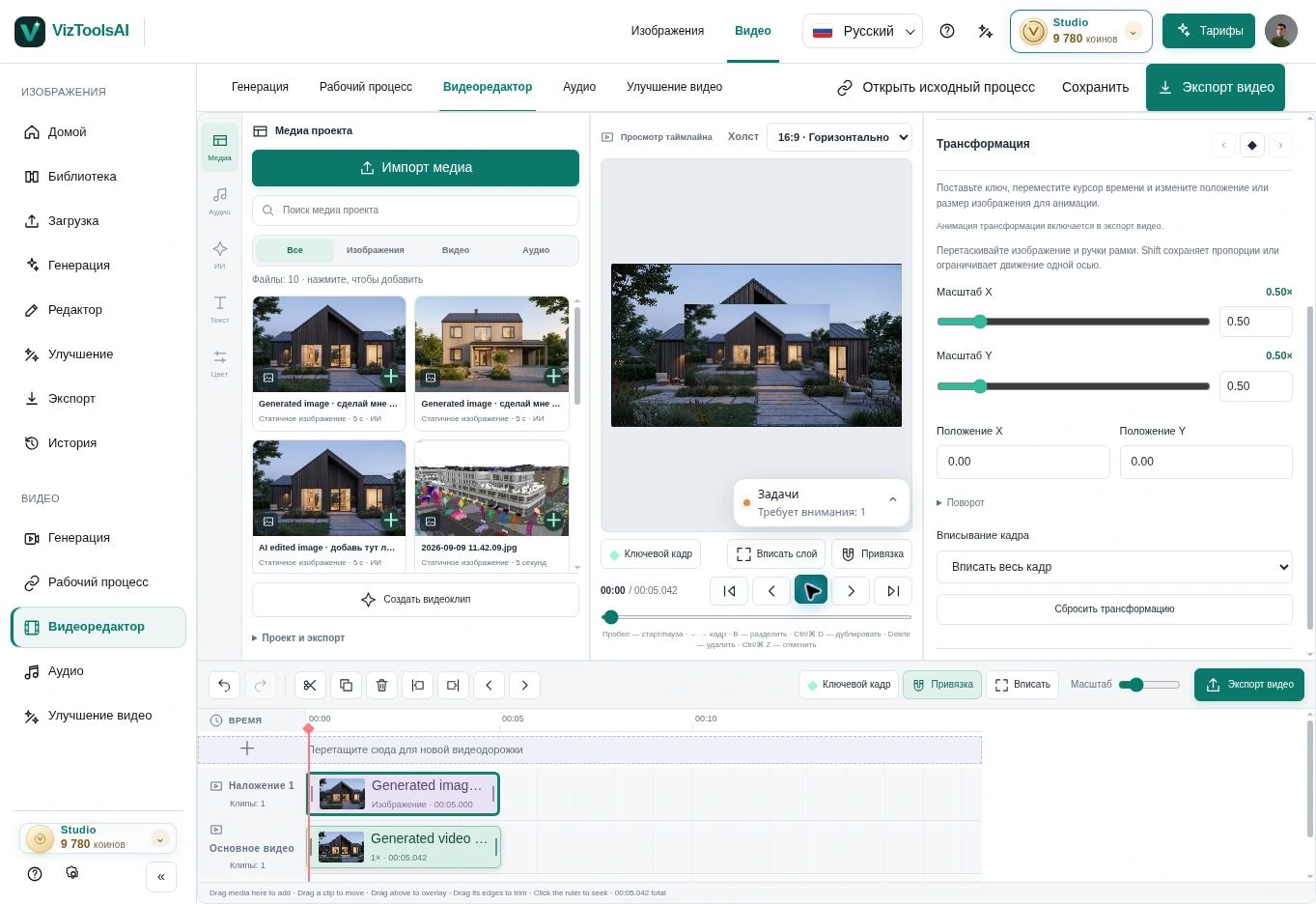
Build the sequence on the timeline
Watch the entire result. Look for warping geometry, sudden material changes, shaking objects and inconsistent light. Keep the sections that retain a convincing sense of space.
Combine shots at different scales, establish a rhythm and add sound if needed. Before exporting, check the beginning, ending, transitions and selected format. For an accurate architectural fly-through, use a suitable 3D workflow; AI video is suited to conceptual and atmospheric presentations.
04 / Architecture video
From an image to a film in Space Motion
Space Motion organizes 1–9 shots from one source image. Review the analysis of visible objects, edit prompts and shot order, then choose models and camera movement. Confirm the coin estimate for the operations you need before starting.
This page explains the general principles of architectural video. The dedicated Space Motion guide covers the product steps: select shot images, generate clips, inspect the result and move into montage editing with sound and export.